Booking a Royal Caribbean cruise is more than just grabbing a ticket; it’s about piecing together a massive, floating puzzle of adventure. While the initial reservation secures your stateroom, the real “human” strategy starts with the Cruise Planner. Experienced travelers know that the best dining times and the most popular Broadway-style shows fill up weeks before the ship even leaves the dock. It pays to be proactive—checking in via the app exactly 45 days out to snag an early boarding slot can mean the difference between a relaxing lunch and a chaotic pier experience. Whether you’re eyeing a private cabana at CocoCay or a table at Chops Grille, think of your reservation as a live document that you fine-tune right up until embarkation.
Understanding Royal Caribbean Reservations
Understanding a Royal Caribbean reservation in 2026 really comes down to how you handle your deposit and the length of your trip. If you choose a refundable rate and cancel before the final payment deadline—which is usually 75 to 90 days out—you can walk away with all your money. However, if you opt for the cheaper non-refundable deals or book a suite, you’re basically locked in. Most of the time, the rules get much stricter once you’re inside that three-month window before sailing.
Why Choose Royal Caribbean?
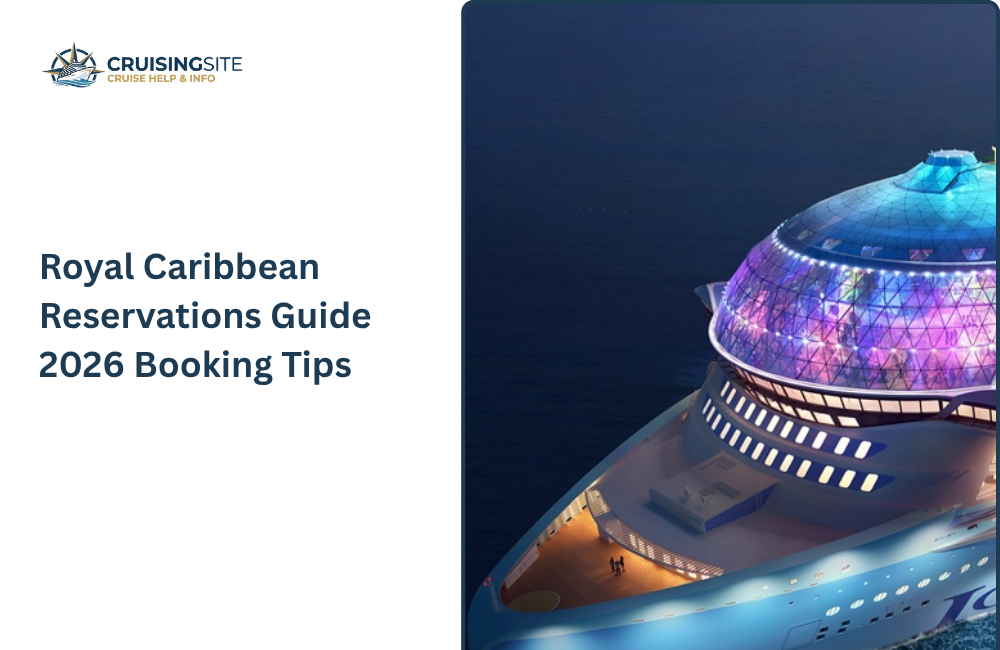
Choosing Royal Caribbean in 2026 is all about embracing the “floating theme park” lifestyle. They’ve truly mastered the art of the multi-generational vacation, especially with the launch of massive new ships like Star of the Seas and Legend of the Seas. Whether you’re looking for high-adrenaline thrills like the largest waterpark at sea or just want to lounge at their private island, Perfect Day at CocoCay, they offer a level of variety that’s hard for other lines to beat.
How to make the Royal Caribbean Reservations?
Making a Royal Caribbean reservation in 2026 is all about choosing the path that fits your planning style. You can book directly through their website or app, which gives you total control over every detail, or go through a travel agent to snag extra onboard credit and have someone else handle the long hold times.
- The Deposit Choice: If you think your 2026 plans might shift, pay the small premium for the refundable option.
- Use the App Early: Once you have your reservation number, download the Royal Caribbean app immediately. This is where you’ll book your shows, dining, and those popular 2026 excursions before they sell out.
- Watch the “Final Payment” Date: For most 7-night sailings, your full balance is due 90 days before departure. If you miss this, they can cancel your room automatically.
- Pre-Book to Save: In 2026, Royal Caribbean often runs “My Royal Cruise” sales where drink and Wi-Fi packages are up to 35% cheaper than the prices you’ll see once you’re actually on the ship.
- Royal Up: Keep an eye on your email about 30 days before you sail. You might get the chance to “bid” a small amount of money for a massive room upgrade.
What is the Royal Caribbean Reservation pricing?
In 2026, Royal Caribbean’s pricing is all about the “dynamic” model, meaning the cost of your cabin can swing wildly based on how early you book and which ship you’re eyeing. For the newest Icon-class ships like Star of the Seas, you’re looking at premium rates that often start around $1,500 to $2,000 per person for a standard week-long trip. On the flip side, shorter weekend getaways on older ships can be a steal, sometimes dropping as low as $400. You also have to factor in the mandatory taxes, port fees, and gratuities, which usually add another $200 to $400 to your final bill. It’s a bit of a balancing act between the ship’s “wow factor” and your actual budget.
Also Read: Royal Caribbean Refund Policy – Cancellation Guide
How to Manage your Royal Caribbean Reservation?
The secret to a stress-free Royal Caribbean vacation is staying ahead of the game by using the “My Royal Cruise” portal and the mobile app. It’s no longer just about paying the bill; it’s your command center for customizing the entire trip. By checking in digitally the moment your window opens (usually 45 days out), you can snag the earliest boarding times, meaning you’re poolside with a drink while others are still in line at the terminal. Plus, keeping an eye on the portal allows you to grab price drops on excursions or drink packages that often hit their lowest rates months before you ever set foot on the ship.
Key Tips for Managing Your 2026 Booking:
- The 35% Pre-Cruise Rule: Almost everything—Wi-Fi, specialty dining, and beverage packages—is significantly cheaper if booked through the portal rather than waiting until you’re onboard.
- Link Your Party: Use your friends’ reservation numbers and birthdays in the app to “link” bookings. This ensures the dining team seats you together and lets you coordinate show times as a group.
- Digital Safety Drill: Save an hour of your first day by completing the mandatory safety briefing on your phone via the app before you even board. You’ll just need a quick 30-second check-in at your muster station once you’re on the ship.
- Real-Time Expense Tracking: Avoid “sticker shock” on the final morning by checking your onboard account daily in the app to see exactly what’s being charged to your room.
- The “Royal Up” Bid: Keep an eye on your email for an invite to bid on cabin upgrades. You can often score a balcony or suite for a fraction of the retail price if the ship isn’t at full capacity.
What are the tips for getting the best Royal Caribbean Reservations?
The best way to handle a Royal Caribbean reservation is to book as early as possible—ideally during “Wave Season” from January to March—to lock in the lowest rates before they inevitably climb. Once you’re booked, keep checking the price; if it drops before your final payment, you can usually get a price adjustment or an upgrade. Always use the app to snag early check-in times and reserve shows before they sell out.
The Future of Royal Caribbean Reservations
Royal Caribbean is moving toward a much more seamless, tech-driven booking experience. We’re seeing a shift where AI handles the heavy lifting, making it way faster to customize your trip and grab the best deals. With the new “Points Choice” program, you’ll also have more freedom to use loyalty perks across their different brands. It’s all becoming much more personalized, so your vacation feels planned just for you.
What are the common mistakes to avoid in Royal Caribbean Reservations?
The biggest mistake you can make with a Royal Caribbean reservation is assuming everything is included or that prices are fixed. From choosing the wrong ship for your vibe—like picking a party-heavy short sailing when you wanted a quiet escape—to waiting until you’re onboard to buy Wi-Fi, these small slips can quickly drain your budget. Staying organized and booking your “must-dos” early is the only way to truly relax.
Also Read: Royal Caribbean Cruise Deals – Best Offers, Discounts & Booking Tips
Common Pitfalls to Avoid:
- The “New Ship” Price Trap: Booking the brand-new Star of the Seas without checking prices on older, refurbished ships can cost you thousands more for a very similar experience.
- Waiting for Onboard Sales: In 2026, drink and internet packages are almost always 20-35% cheaper if you buy them through the “My Royal Cruise” portal before you leave home.
- Forgetting Port Time Zones: Many 2026 itineraries cross time zones. Always stick to “Ship Time”—if you rely on your phone’s automatic clock, you might literally miss the boat.
- Overlooking the “Fine Print” on BOGO: Those “Buy One Get One” deals often come with non-refundable deposits. If your plans are even slightly shaky, stick to a refundable fare.
Conclusion
Ultimately, a Royal Caribbean reservation is what you make of it. In 2026, the secret isn’t just spending more; it’s outsmarting the system. Between the high-tech Icon-class ships and the new loyalty perks, there is a lot to juggle. If you treat your booking as a “set it and forget it” task, you’ll likely overpay and miss out on the best shows. But if you dive into the app early, snag those pre-cruise discounts, and stay flexible with your upgrades, you’ll turn a standard boat ride into a perfectly tailored adventure. Would you like me to look up the current sailing schedule for the Star of the Seas to help you narrow down some dates.
FAQ
Q.1 Can you change your cruise once booked?
Ans: Change fees will apply to bookings for which the deposit is non-refundable. Cruises that are cancelled prior to the sail date, and CruiseTours that are cancelled prior to the first day of the CruiseTour
Q.2 When can I make dinner reservations for my Royal Caribbean cruise?
Ans: You can reserve Royal Caribbean’s My Time Dining (MTD) in the Cruise Planner (website/app) as soon as your deposit is paid.
Q.3 Can you make changes to a Royal Caribbean reservation?
Ans: Yes, you can make changes to a Royal Caribbean reservation, but what you can change and how depends on the specific item.
Q.4 How to make Royal Caribbean dining reservations?
Ans: If you purchase an Unlimited Dining Package through our mobile app, you can make specific dining reservations for your entire cruise directly in the app before you board.