
MSC Cruises lets you check in online before your cruise, so you can breeze through embarkation and get straight to your holiday. By completing the MSC check‑in process in advance, you fill out your details, get your e‑ticket and boarding pass, and speed up your boarding day. In this guide you’ll learn every important step and how to check in online. What if you have missed online check-in? All required information is provided in this guide; go through this before you take any decision.
What is the check-in process for MSC Cruises?
MSC Cruises includes two main parts for check-in through web check-in and on-board embarkation.
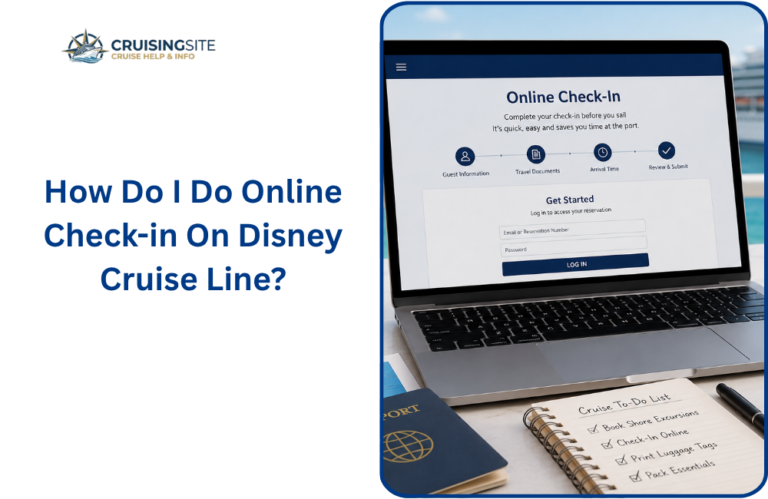
First, you have to check in online through the official website of MSC or the MSC For Me app; from the time of the booking up to 2 days before the departure, you can check in online.
You need to log in through the booking number and then enter the passengers’ personal travel details, upload the required document, fill in the contact and emergency details, and confirm your medical fitness. once all the things done, at last MSC sends you an e-ticket and a boarding pass with a QR code
On embarkation day, you arrive to the terminal at the allotted time, show your boarding pass or required documents at the MSC check-in desk, and get your security check-in done if you have not done it online.
Why should you complete the MSC check-in process?
MSC requires you to complete online check‑in so they can verify your identity, travel documents, and health information before you board.
By finishing it early, you get your e‑ticket and boarding pass faster, avoid long queues at the terminal, and reduce the chance of last‑minute surprises at the pier.
When should you do MSC check‑in?
You can usually start MSC web check-in from the moment you book your cruise, but most guests complete it between 30 days and 24–48 hours before departure.
MSC recommends finishing it as early as possible, so you have time to correct any mistakes or upload missing documents before your sailing date.
Step‑by‑step MSC Check in Process
1. Log in to your MSC booking
Go to the MSC Cruises website or open the MSC For Me app, then sign in with your booking reference and surname.
You then choose the “Check‑in” or “Web Check‑in” option from your booking page or profile.
2. Confirm your reservation details
Review all the booking details in your MSC cruise reservations before completing your check-in online process to see if all the information has been provided by you correctly or not, if you spot anything wrong or need any changes, contact MSC Cruises customer support or your travel agent directly to get help.
3. Fill health and emergency contact details
During online check-in, you need to provide a health declaration and details of an emergency contact who can reach you while traveling, has access to your booking information and cruise, and can share details of yours with MSC Cruises when required.
4. Review and submit your check-in.
Double‑check all information for spelling, passport numbers, and dates before you click “Save and Confirm.”
Once submitted, you receive an e‑ticket by email and, for direct bookings, a digital boarding pass with a scannable QR code.
E‑ticket vs boarding pass: what you need
- E‑ticket: This is your electronic cruise ticket that shows your itinerary, cabin number, dining times, and luggage labels; it is sent to your email after check‑in.
- Boarding pass: This is a digital pass (often within the MSC For Me app or in your email) that contains a QR code for scanning at the terminal. It confirms you have completed check‑in and are cleared to board.
Can you change information after check‑in?
MSC allows you to log back into your booking and redo the web check‑in if any details change (for example, passport number or emergency contact).
If you change your credit card or travel documents, you may need to update them in “My Booking” and then recheck in to generate a new e‑ticket.
What if you miss online check‑in?
If you forget to complete MSC web check-in on time, you can still check in at the terminal on embarkation day, but this may mean longer queues and extra paperwork.
In some cases you may need to pay a small administration or documentation fee at the pier, so it is always better to finish check-in online whenever possible.
Documents you must carry on embarkation day
Before boarding, you must have a valid passport (or approved ID), any required visas, and printed or digital copies of your e‑ticket and boarding pass.
MSC may also ask for proof of vaccinations or health declarations, so keep these documents ready on your phone or in your email.
Using the MSC For Me app for check‑in
MSC For Me lets you check in directly from your smartphone; you sign in, open your booking, and tap “Check‑in” to complete the same steps as on the website.
Once done, you see your check-in status, e-ticket, and boarding pass inside the app, plus real-time boarding-time updates and pier instructions.
Tips to make MSC check‑in smoother
- Finish check‑in early, ideally within 30 days of sailing, so you see any issues before you travel.
- Keep all passports, visas, and health forms ready on your device so you can quickly upload or show them.
- Add a reliable emergency contact and double‑check phone numbers and email addresses before submitting.
Common issues and quick fixes
- “Cannot save my data”: Try refreshing the page, using a different browser, or logging in again; sometimes clearing cache or cookies helps.
- Wrong passport or name: Do not try to change the surname or birth date yourself; contact MSC or your agent to correct the booking first.
- Missing boarding pass QR code: Reopen the MSC Open the For Me app or re‑download the e‑ticket email, then take a screenshot so it is always available offline.
How MSC check‑in affects your boarding time
MSC uses your completed check‑in data to assign you a recommended boarding time, which appears in your e‑ticket and app.
Arriving at the terminal during your suggested time helps spread crowds and means you board faster; showing up too early or too late may add extra waiting.
What happens if plans change after check‑in?
If you change flights, cancel a passenger, or alter your itinerary, you must update your MSC booking and then repeat the web check-in for the new details.
If you do not recheck in, your old e‑ticket and boarding pass may not reflect the latest changes, which can cause delays at the pier.
Conclusion:
Msc check-in process is designed to make your boarding smooth and stress-free, and you can save your time by avoiding long queues at the terminal. Having all the detailed information makes your process easier for you; understanding this process helps you to focus less on paperwork and enjoy more
FAQs
Q.1 Do I have to check-in online with MSC?
Ans: Yes. MSC requires all guests to complete web check‑in online; only after that do you get your e‑ticket and boarding pass, which staff scan at the terminal.
Q.2 Can I check‑in for my family all at once?
Ans: Yes. You can check‑in for all passengers in your booking at the same time, but each person’s data (name, passport) must be entered accurately before you submit.
Q.3 Can I check‑in using the MSC app instead of the website?
Ans: Yes. The MSC For Me app offers the same check‑in process as the website; you can complete it from your phone and access your boarding pass and e‑ticket directly in the app.
Q.4 What happens if my passport expires after check‑in but before the cruise?
Ans: You must update your passport details in your MSC booking and repeat the web check-in with the new number; old documents may block you from boarding even if the e-ticket looks correct.
Also Read:
How Does the Viking Cruises Check-In Process Work in 2026?
How Does the Princess Cruises Check In Process Work in 2026
What Is the Step-by-Step Virgin Voyages Check-in Process in 2026?