
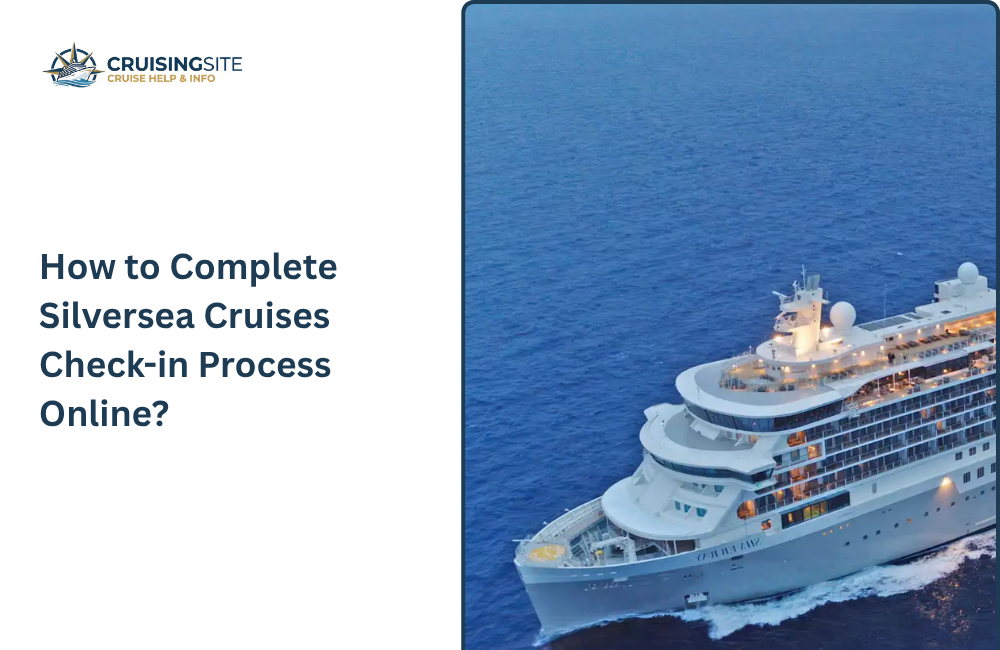
Planning your cruise with Silversea is great, but before you book your dream trip, it is smart to know all the processes, like how to do check-in. Having all the information cuts down your stress and lets you enjoy your vacation. This guide has covered all the necessary information on Silversea Cruises check-in, where you will be familiar with how to do it and what type of documents you need as per 2026 rules. It is always important to know all the rules first before you plan anything.
Overview of the Silversea Cruises Check-in Process
The Silversea check-in happens in two main stages:
- Online check-in
- Port check-in
Silversea tries to provide every possible thing to complete many steps online so passengers do not wait for a longer time and can save more time and enjoy their luxury experiences.
Why Complete Silversea Online Check-in
Online check-in provides many services for Silversea guests, such as:
- You don’t need to wait for longer time in line because your details are already submitted
- Quick verification helps you in faster boarding
- if you submit your documents prior, you will not need the last-minute hassle
- you can see your cabin and details before travel
- You don’t have to worry about anything, no paperwork at the terminal; just enjoy your trip.
Preparing for Online Check-In
Before you start the check-in process, you need to collect some documents, such as
- Reservation number and confirmation details
- Passport or government-issued ID for all passengers
- Emergency contact information
- Travel visa
- Health and safety details
Having all the details ready avoids last-minute problems and stress and ensures your pre-cruise setup. The Silversea process runs smoothly.
Also Read: Silversea Cruises Drink Package 2026 – Inclusions & Cost
Step-by-step silversea Online check-in process
Step 1: Access the online check-in portal
- Log into the official silversea website
- Go to the Manage My Cruise section to start the process
Step 2: Verify Reservation information
- Confirm your booking details, including sailing date, ship, and suite assignment.
- Ensure every detail is correct
Step 3: Submit Personal Information
- Enter your legal name that matches to your documents
- Provide your details such as birth, nationality, and other personal details for all passengers
- Include emergency contacts for each passenger.
Step 4: Upload Travel Documentation
- Upload passports, visas or vaccination certificates if required
- Ensure scanned copies are clear and easy to read so they meet port and immigration requirements.
Step 5: Review Onboard Accounts
- Set up your onboard account by adding the details of credit card for extra charges
- You can also choose gratuities or dining preferences if available
Step 6: Confirm and submit
- Once you submit the details, check it carefully
- submit your online check-in
- You will get confirmation email once everything is done
Save 7: Save or Print Boarding Documents
- Download or print your boarding pass
- Keep copies of the documents; some ports ask for printed or digital copies.
What to Expect After Online Check-In
Once you have completed the Silversea Cruises Check-in Process online, there are some things that you need to check for smoother journey
Documents and information you need to bring
Bring either the printed version or keep the digital copies of the documents of your boarding pass or other document proofs given during check-in, plus your passport/travel document.
Passport/Travel Document
Original passports must be present with you. immigration and port authorities will check it, and they must watch the information you have provided during check-in
Insurance or Health Documents
Bring vaccination documents, visas, health clearances and the required documents as per the itinerary
Embarkation Process at the Port
Arrival Window/Boarding slot
Silversea provides you a boarding time; arrive within the time slot to avoid long lines or delay
Identify Verification
At the terminal, show your documents
Staff will check the documents such as the passport and boarding pass and may ask for the photo to scan the details.
Baggage Drop and Luggage Tag
Attach a tag to your luggage before dropping your bags.
If you don’t have tags or lost them, staff at the terminal will assist you.
Troubleshooting and common Issues
Sometimes online check-in does not go perfectly. Here are some problems that people face; the below advice has been mentioned to deal with them.
Common Problems
Missing or Incorrect Passport Details
If the name or passport details have been entered wrong, the system may reject or delay your check-in process. So, always choose your passport data exactly.
Insurance or Visa Issues
If your visa or health document is not submitted, they can block your check-in or create issues at the port.
Technical or login issues
Due to a glitch, the website may not function well. Try to connect to the stable internet connection, clear your browser cache, or switch devices. If needed, contact the support team for help.
Limited availability of services
Dining, spa, and excursion slots fill up early; if you wait for too long, you may lose the chance to pre-book some of these services.
How to Deal with Issues
Contact Customer Support
If something is missing or found to be in error, reach out to Silversea’s reservations or customer services with your reference number and details to get support.
Double-Check Your Email Inbox and Spam Folder
Important updated and confirmation details you receive on email, so always check your email; you may receive it to spam or promotions, so check all the folders
Keep Hard Copies of Everything
Always keep the necessary documents with you, such as your boarding pass, passport, visas, and insurance.
Tips to Make Online Check-In Go Smoothly
- Use exact details as per the passport.
- As soon as you make the payment, start checking in. This gives you time to fix any problems you face.
- Scan the documents properly and make sure the details you have provided are easy to read.
- Make sure your phone number and email is updated
- Check out the Silversea account regularly to see updates, document status, and available services.
- Download your boarding pass and keep both digital and printed copies and be stress-free.
Conclusion:
Completing Silversea Cruises Check-in Process is important to have a stress-free boarding experience. Submit your personal information correctly to avoid last-minute problems. By following everything step-by-step, travellers can be stress-free and enjoy a seamless pre-cruise setup and faster boarding.
Frequently Asked Questions:
Q.1 How do I check-in for my Silversea cruise?
Ans: Log into your Silversea account and verify all details and confirm your submissions.
Q.2 What information is required for online check-in?
Ans: Always keep details such as passport, emergency contacts, visa or vaccination documents, and payment information for onboard charges.
Q.3 Can I check in all passengers on one reservation at the same time?
Ans: Yes, the online portal allows check-in for all travelers under the same reservation at the same time.
Q.4 Is online check-in available for all sailings?
Ans: Most sailings offer online check-in, but availability may depend on the itinerary and departure port requirements.
Also Read: Silversea Cruises Name Change Policy 2026 – Fees, Rules & Process