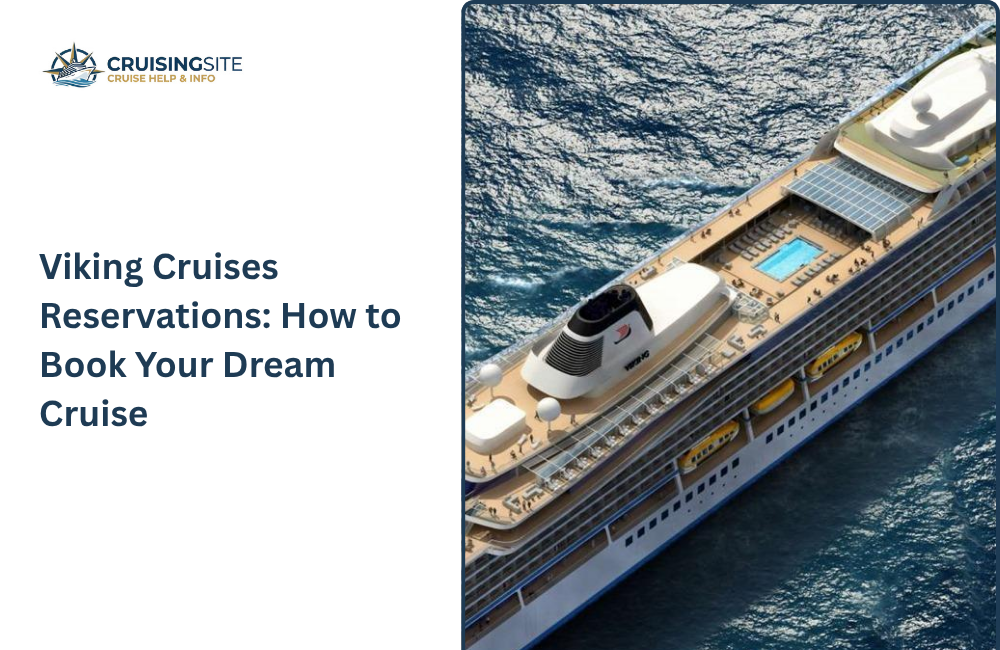
Viking Cruises provides you to experience luxurious river and ocean voyages around the world, and booking a Viking cruise is a very simple and easy method. Whether you are from anywhere, either from India, the US, or the UK, you can reserve your cabin online, by phone, or through a travel agent.
This guide has included all the important steps how to make a Viking Cruises reservations to make your half of the work easier for you
What Viking Cruises Reservations Mean
Making a reservation with Viking Cruises means you are choosing your cabin, travel dates, and trip dates for your journey.
Your booking usually contains your travel plan, stops, and extras like meals, Wi-Fi, and guided tours.
After booking, Viking provides you a booking number and create an online account so you can easily manage your trip
“Reservation” means that your booking is confirmed, and once you make your payment, Viking adds your name to the passenger list and starts sending you the updates about your trip before the cruise
Ways to Reserve a Viking Cruise
You can reserve a Viking cruise in three main ways:
- Online on Viking’s website: Go directly to Viking’s official site, choose your cruise type (river or ocean), pick a destination, ship, and departure date, then select your stateroom and complete the passenger details and payment.
- By phone with Viking customer service: Call Viking’s reservations line and speak with a representative who can check availability, explain deck plans, and help you book in real time.
- Through a travel agent: A local travel agent or cruise specialist can access Viking’s inventory, compare dates and cabin categories, and handle the paperwork for you.
All three methods lead to the same secure booking; the difference lies in how much personal guidance you want.
Step‑by‑Step: How to MakeViking Cruises Reservations Online
Follow these steps to reserve your Viking cruise on the official website:
- Choose cruise type and destination
Decide whether you want a river cruise (Europe, Asia, Egypt, Mississippi) or an ocean cruise, then browse available itineraries for your preferred region. - Select departure date and ship
Click on a specific sailing, then review the day‑by‑day itinerary, ports of call, and inclusions. - Pick your cabin category
Choose the stateroom type (veranda, balcony, or inside) based on budget and view preference. Viking’s website shows deck plans so you can see cabin locations. - Add guest details and extras
Enter passenger names, dates of birth, and contact information. You may also be able to add optional extras such as pre‑ or post‑tour packages, flights, or special‑diet notes. - Pay the deposit and confirm
Viking usually requires a deposit (often 10–20% of the total fare, depending on trip length) when you book. After payment, you receive a confirmation email with a booking number and instructions to access your online profile.
Using Viking’s Online Portal: My Viking Journey
Once you reserve, Viking gives you access to My Viking Journey (or “My Viking Journey: My Trip”), its digital trip‑planning hub. This portal acts like your personal dashboard for the cruise and lets you:
- View your full itinerary and sailing details.
- Complete guest forms and travel documents.
- Make payments or pay the final balance.
- Book shore excursions, dining times, spa services, and classes.
- Manage upgrades or changes to your reservation (where available).
You need to log in with your booking number or via email and then select your option that matches your preferences. The system always provides updates and sends you reminders as the departure dates near.
Deposit, Payments, and Deadlines
Viking Cruises reservations come with clear payment rules that help you plan your budget.
- Deposit at booking: For many standard cruises, you pay a percentage of the total fare when you initially reserve. For longer or special‑series cruises (like “World” or “Grand” cruises), Viking may ask for about 20% deposit at the time of booking.
- Final payment deadline: The balance is usually due around 180 days before departure. Viking sends reminders, and you can often pay through the online portal or by phone.
- Changes and cancellations: Viking’s terms explain how much you can change (dates, cabins, guest names) and how much you may lose if you cancel at different times before sailing.
Always check the specific terms for your cruise on the Viking website or in your confirmation email.
Finding the Best Deals and Offers
Viking provides you special deals so you can make bookings using it, such as the following:
- Limited-time offer: You may get it at a lower price and get upgrades; also, pay a smaller deposit amount on your trips.
- Seasonal pricing: Booking early or making a booking during the off-season can help you in saving your money.
- Group and loyalty perks: Repeated guests or small groups get extra benefits
To get the deals, compare the dates and read the offers section before making any booking.
Tips for a Smooth Reservation Process
To make your reservation go smoothly, you need to follow these things to avoid stress and feel free. Book your
- Book early: Making early bookings for popular routes is the best thing you can do; popular routes fill up very fast.
- Match travel documents: Always make sure, after entering every detail, to check it once and see if the details are correct or not.
- Read inclusion details: See what is included, such as meals, Wi-Fi, and excursions, and what is extra so you can make your budget accordingly.
- Keep your documents in hand: Keep the details in your hand, such as booking number, cruise ID and Viking contact details; note it in your phone or notebook.
If you are unaware of how to process it, then you can call Viking’s customer or travel agent; they will help you through the process.
Conclusion
By choosing the right booking method, staying aware of payment timelines, and taking advantage of every deal, you can plan your cruise confidently. Careful attention to all the documents and inclusions makes your reservation experience great and provides you a better and luxurious and stress-free journey.
FAQs
Q.1 How do I check my Viking Cruises reservation status online?
Ans: Go to Viking’s official website, log in to My Viking Journey with your booking number or email, then open the “My Trip” section to see your confirmed itinerary, payments, and documents.
Q.2 Can I change my Viking cruise dates after I reserve?
Ans: Yes, in many cases, Viking allows date changes or rebooking, but fees and availability apply. You must contact Viking reservations or your travel agent and check the specific terms for your sailing.
Q.3 What documents do I need at the time of Viking Cruises reservation?
Ans: You must provide accurate passenger names, dates of birth, email addresses, and passport‑style details. You do not usually need to upload passports at booking, but you must enter correct information for travel documents later.
Q.4 Is it better to book Viking Cruises directly or through a travel agent?
Ans: Booking directly gives you full control over your profile and payments, while a travel agent can help compare dates, cabins, and bundled deals (like flights or hotel stays). Both options are secure as long as you use Viking’s official site or an authorized agent.
Also Read:
How Can You Make Regent Seven Seas Cruises Reservations?
How Do Oceania Cruises Reservations Work?
How to Book Silversea Cruises Reservations?